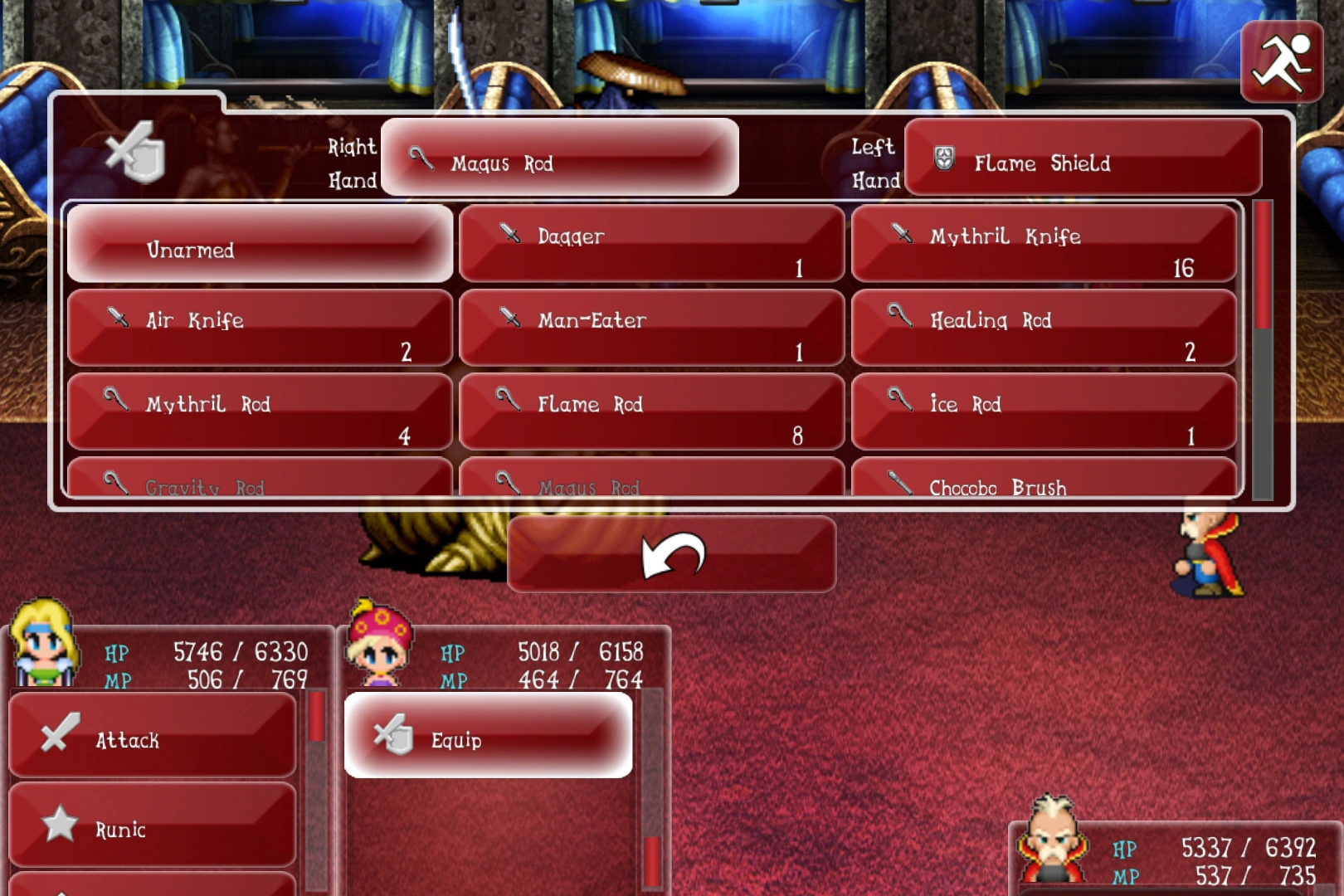
The Equip command in Final Fantasy VI.
Equip (そうび, Soubi?, lit. Equipment), also known as Equipment, is a recurring command in the Final Fantasy series that appears during battle. This command allows the player to change equipment mid-battle, usually the currently equipped weapon or shield. It appears in the older Final Fantasy games, where it has no name in the original versions but is renamed "Equip" in the remakes. Most of the time, it is accessible from within the Items command, and by pressing the up button at the top of the player's list of items.
In certain games where battles take place on the overworld, the menu may be available at all times to change equipment, though all equipment still cannot be swapped mid-action. E.g. in Final Fantasy XII a weapon cannot be swapped during an attack string, and in Final Fantasy XV, Noctis's currently-equipped weapon cannot be changed in the menu, but the other weapons in the four-weapon loadout can be.
Appearances
Final Fantasy
The ability to change equipment during battle does not exist in the Nintendo version, but the command was introduced as a named command in the Final Fantasy Origins version onward. It appears within the character's battle menu command. It is also accessible through the Items command by pressing up on the directional pad.
Final Fantasy II
The ability to change equipment during battle in the series first appeared in Final Fantasy II on the original Nintendo release. The player is able to change the currently equipped weapon and shield as well as equipping items. It is accessible through the Items command.
Final Fantasy III
The ability to change equipment during battle through the Item command is available to the player, allowing them to change the R.Hand and L.Hand. Either two weapons or shields can be equipped. In the 3D remakes, the command is named Equipment which is found on a character's battle menu. The command can also be access from the Item menu as well.
Final Fantasy IV
The player can change the currently equipped weapon or shield via the Items menu. Item magic is accessed from the Equip menu. In the original Super Nintendo version, the player is able to duplicate weapons and shields during battle.
Changing equipment occurs instantly, but will consume a turn in the 3D versions, where the action is called Re-equip.
Final Fantasy IV -Interlude-
Like the original game, the ability to change equipment is accessible from within the Items menu.
Final Fantasy IV: The After Years
Like both of its predecessors, the ability to change equipment is accessible from within the Items menu.
Final Fantasy V
Similarly to Final Fantasy IV, both weapon and shield can be changed via the Items command in the versions prior to the mobile release. In the mobile version, it was made into its own command separated from the Items menu. Item magic is also accessed from within the Equip menu.
Final Fantasy VI
Similarly to both Final Fantasy IV and Final Fantasy V, weapon and shield can be changed during battle from the Items menu in the versions prior to the mobile version. In the mobile version of the game, it was made into its own command separated from the Items menu.
Final Fantasy X
Equipment can be changed mid-battle to make use of various auto-abilities in one encounter. This can be done on a character's turn by pressing  . Changing equipment is a Rank 1 action.
Final Fantasy Tactics
Equipment can be changed on a unit's turn if they have the Reequip ability equipped.
Final Fantasy Legend III
To change the currently equipped weapon or shield during battle, it is accessible from within the Item menu. At the very top of the list of items, pressing the  will access the Equip menu.
Gallery


 This gallery is incomplete and requires Final Fantasy (PSP), Final Fantasy II (PSP), Final Fantasy IV (PSP), Final Fantasy IV -Interlude-, Final Fantasy IV: The After Years and Final Fantasy V (iOS) added. You can help the Final Fantasy Wiki by uploading images.