
I couldn't miss the chance to practice my drawing!
The following entails the contents of the main menus in Final Fantasy Type-0. Unlike most games, there are two main menus featured, as the functions for character customization can only be done at Save points.
Field Menu
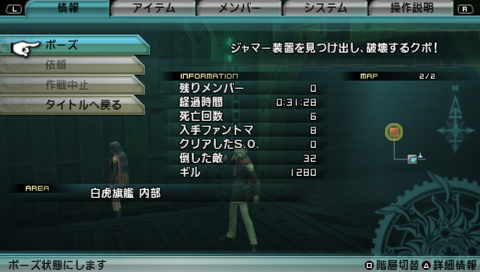

The Info menu (PSP).
The field menu is opened with the [START] button (PSP), [Options] button (PS4), or [Menu] button (Xbox One). It displays general information such as gil, SPP, total play time, and current location. It is divided into five tabs:
Info
- Pause - pauses the game.
- Request - displays information of the current Task accepted.
- Expert Trial - displays information of the current Expert Trial accepted. Available only on the field.
- Map of Orience - displays a map of the regions of Orience and the nations they fall under. Available only on the field.
- Return to Akademeia - automatically returns to Akademeia from the Overworld. Available only on the field.
- Abort Mission - quits the current mission to return to before the mission started. Available only during missions.
- Return to Title - returns to the title screen.
During missions, the following information is also displayed:
- Reserve Members - number of reserves not in the active party.
- Time Elapsed - total running time since the start of the mission.
- Casualties - number of times a character has been killed during the mission.
- Phantoma Harvested - amount of phantoma harvested during the mission.
- SOs Completed - number of Special Orders successfully completed during the mission.
- Kill Count - number of enemies killed during the mission.
- Gil - amount of gil.
- Difficulty - current difficulty level for the HD version.
Items
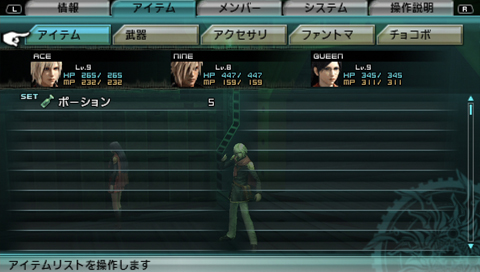

The Items menu (PSP).
Allows the player to view their inventories, and sort them automatically or manually. Items are divided into five sections:
- Items - displays all general items, and allows the player to equip an item for use during combat.
- Weapons - displays all weapons.
- Accessories - displays all accessories.
- Phantoma - displays all phantoma.
- Chocobos - displays all chocobos.
Squad
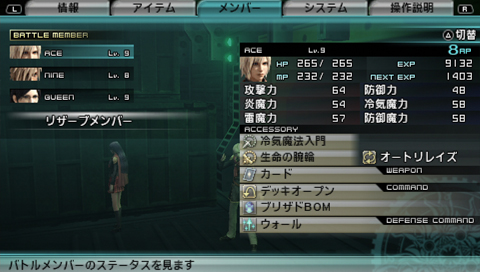

The Squad menu (PSP).
Allows the player to view the list of party members and their statuses. Members not in the active party are listed in the Reserves option.
Preferences
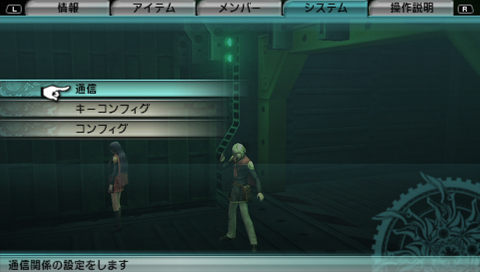

The Preferences menu (PSP).
Allows the player to modify configuration settings for the game.
- Communications (通信, Tsūshin?) - multiplayer settings for the PSP version.
- Controls - control settings for the game.
- Options - config settings such as volume and subtitle display.
- Brightness - adjusts the brightness level in the HD version.
How to Play
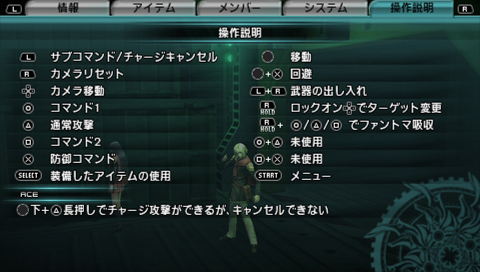

The How to Play menu (PSP).
Allows the player to view the controls for the game. The list changes for field and combat.
Administration Menu
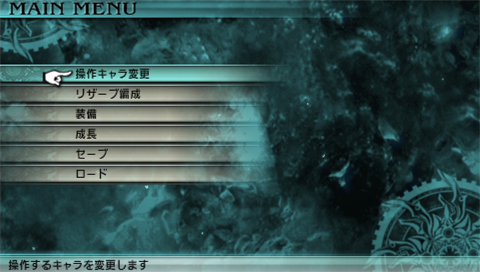

The save point menu (PSP).
The Administration menu is accessed at relic terminals.
Assignment
Allows the player to select the active leader on the field, or the active battle party during combat. Required for Free Time Events that are triggered by specific characters and selecting a member to participate in combat simulations or secret training.
Reserves
Allows the player to rearrange the formation list of the playable characters. Characters at the top of the list take automatic priority in Overworld battles.
Armament
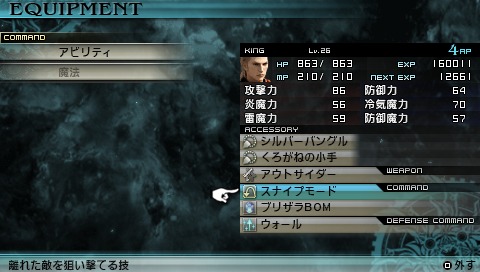

King's Armament menu (PSP).
Allows the player to modify characters' equipment, abilities, and costumes.
Promotion
Allows the player to unlock new abilities for characters and Eidolons. Promotion is divided into four sections:
- Abilities - unlock new abilities for characters.
- Stats - increase max stats of characters using enhancer items.
- Eidolons - unlock new abilities for Eidolons.
- Vermilion Bird - upgrade the level of the Vermilion Bird Squad Command with Crystal Shards.
Altocrystarium
Allows the player to access the Altocrystarium menu after activating it in Akademeia.
Difficulty
Available only in the HD version. Allows the player to change the current difficulty level:
- Cadet (Novice)
- Officer (Intermediate)
- Agito (Advanced)
- Finis (Expert)
Save
Allows the player to save the game. This function is absent when replaying missions.
Load
Allows the player to load another save file without returning to the title screen. All unsaved progress will be lost. This function is absent when replaying missions.